 鹦财记账VoiceExpense
记账,从未如此简单Expense tracking, finally easy
说一句话,AI 帮你拆成多笔并自动归类。出国消费说「45 欧元」,它认得出币种、按汇率折算。 Say one sentence and the AI splits it into separate entries, each categorized. Say “45 euros” abroad and it recognizes the currency and converts at the rate.
iOS · Android · HarmonyOS | 免费下载,免费版可无限手动记账 iOS · Android · HarmonyOS | Free to download; unlimited manual entry on the free plan
01
一句话,三笔账One sentence, three entries
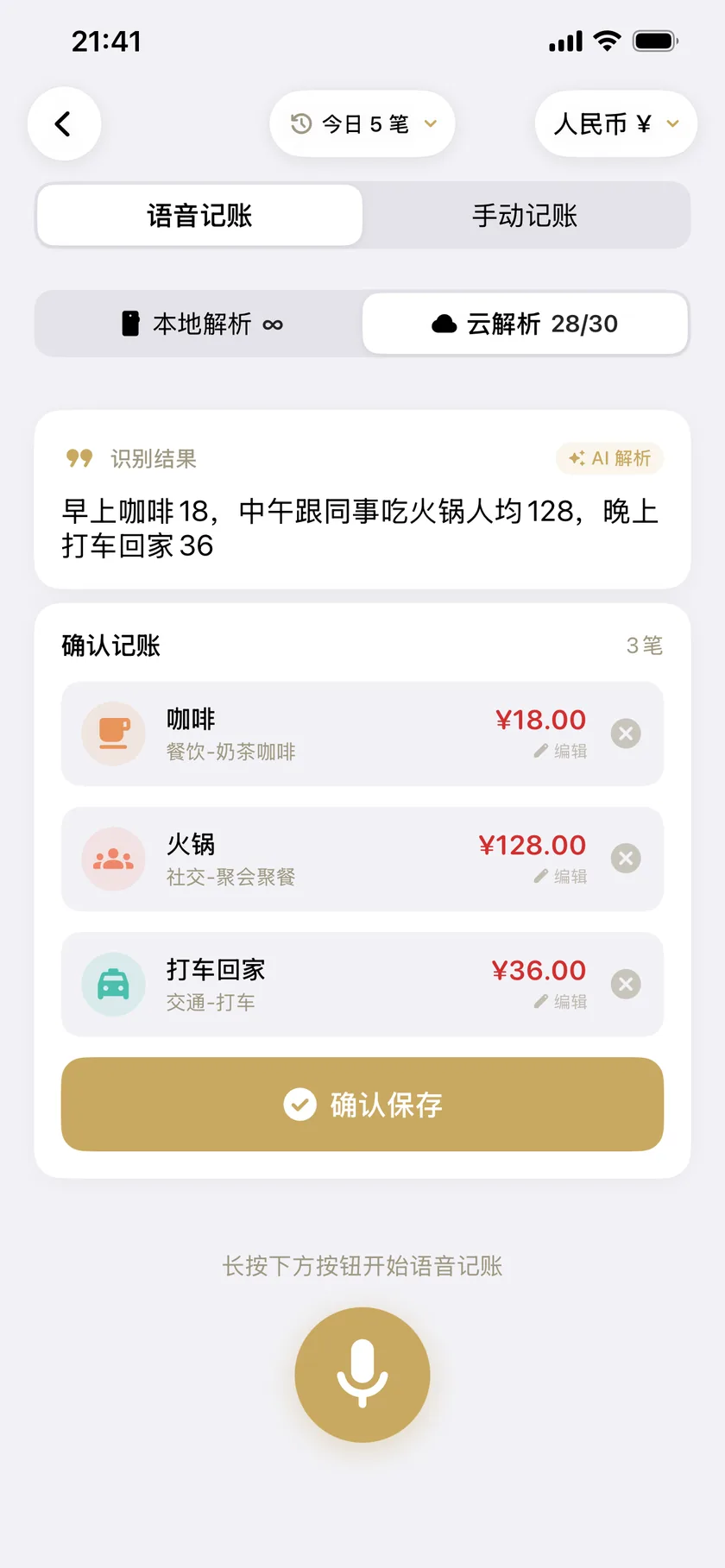
不用点分类、不用切页面。把一天的花销一口气说完,AI 按语义拆开,金额和分类都填好,你只需要确认。
「早上咖啡 18,中午跟同事吃火锅人均 128,晚上打车回家 36」三笔,分别归进奶茶咖啡、午餐、打车。
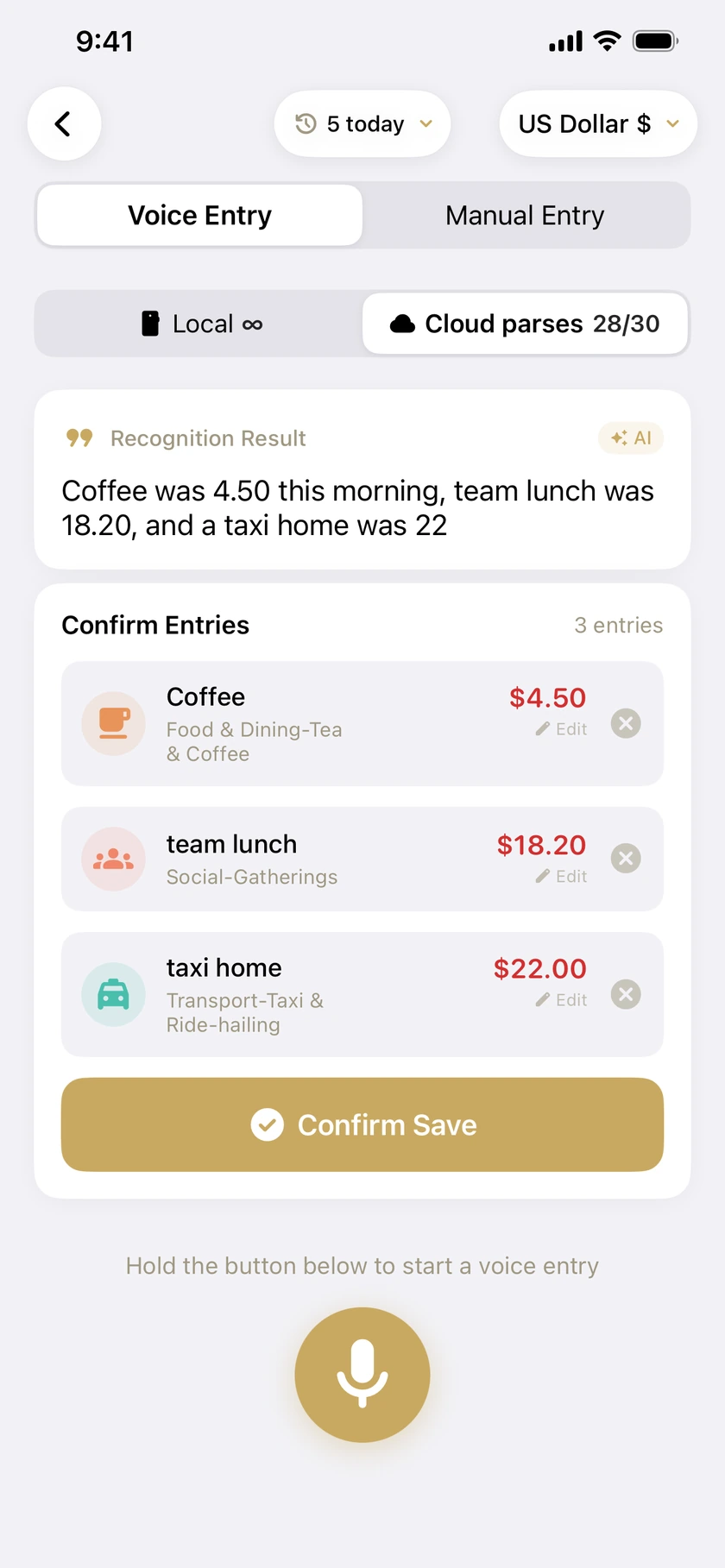
No category picker, no switching screens. Say the whole day in one breath — the AI splits it by meaning, fills in each amount and category, and leaves you only the confirmation.
“Coffee was 4.50 this morning, team lunch was 18.20, and a taxi home was 22”Three entries, filed under coffee, lunch and taxi.
02
在国外,直接说外币Abroad, just say the currency
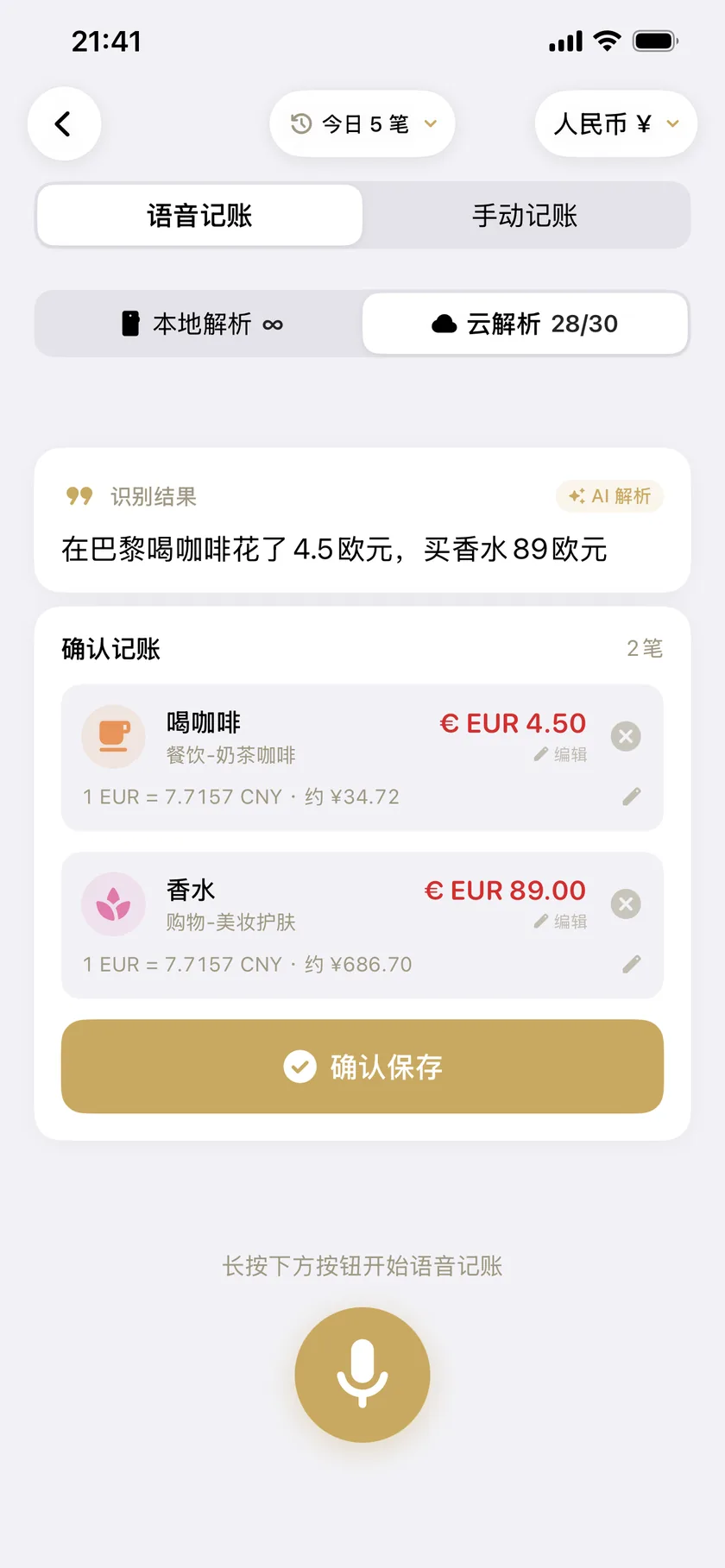
说出币种就行。识别到与账本不同的币种时会先问你一句,点一下才采用——不会自作主张替你换。
每笔外币都同时留下原币金额、当时的汇率和折算后的金额,回头查账不会失真。多个账本各用各的币种。
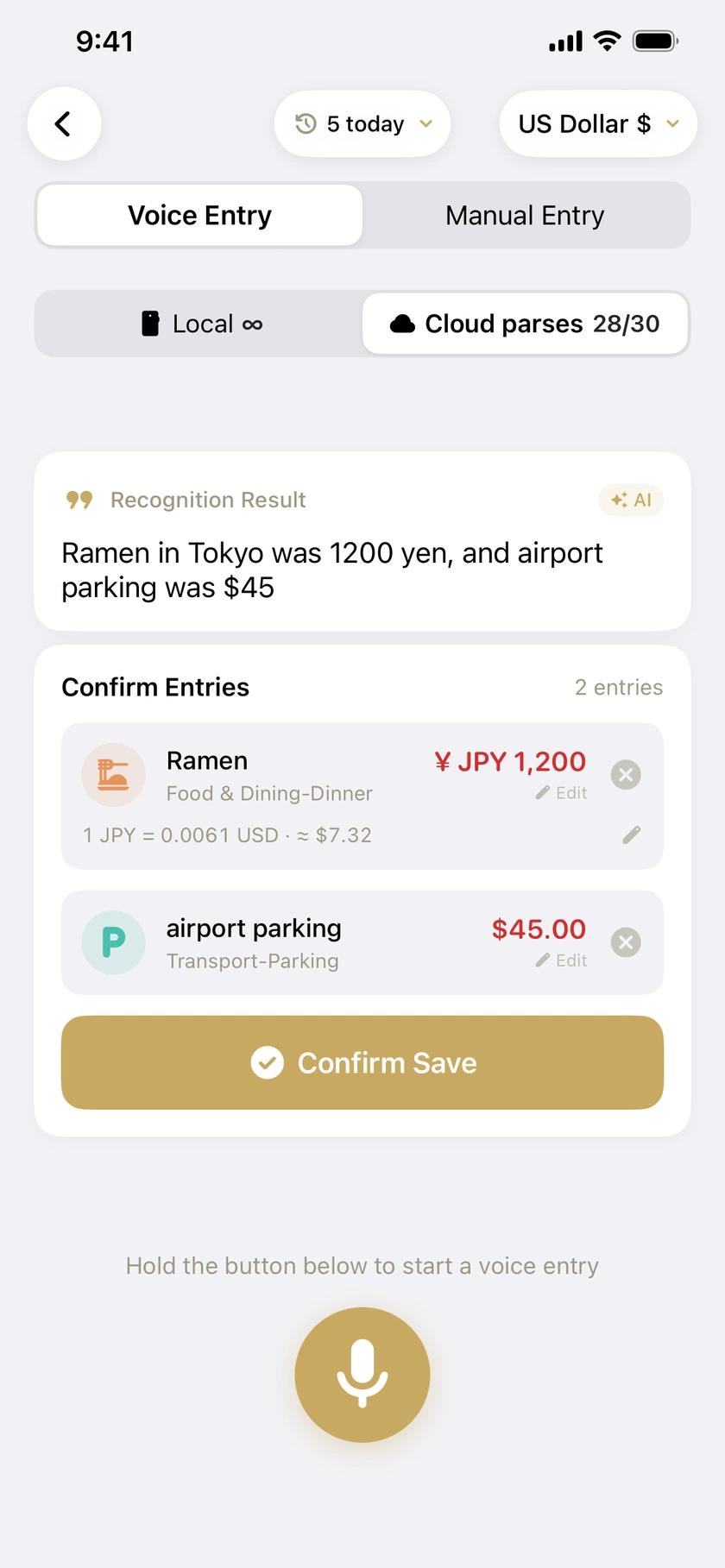
Just say it. When the app detects a currency different from your ledger’s, it asks first and waits for your tap — it never switches on your behalf.
Each entry keeps the original amount, the rate used at the time, and the converted figure. Different ledgers can use different currencies.
03
钱花到哪去了,一眼看完See where the money went
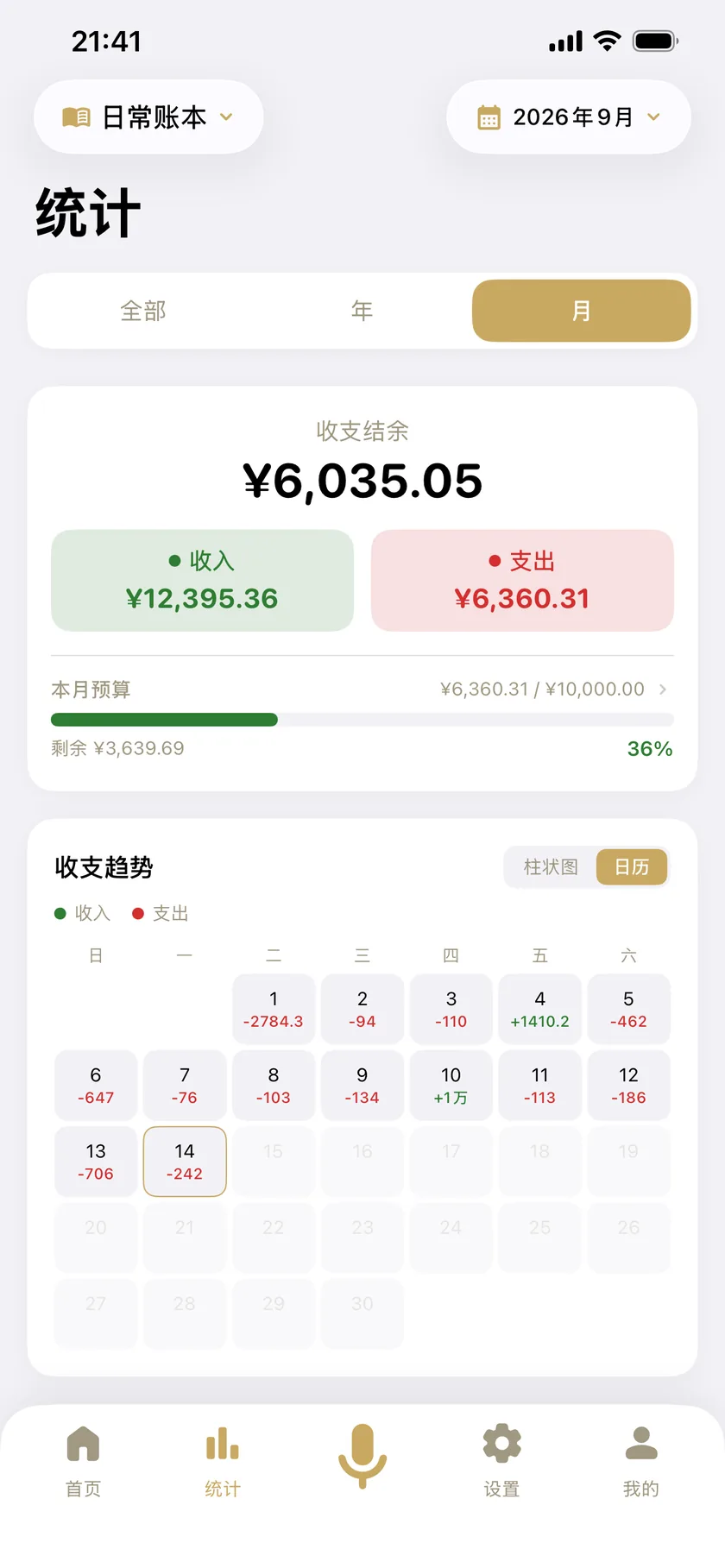
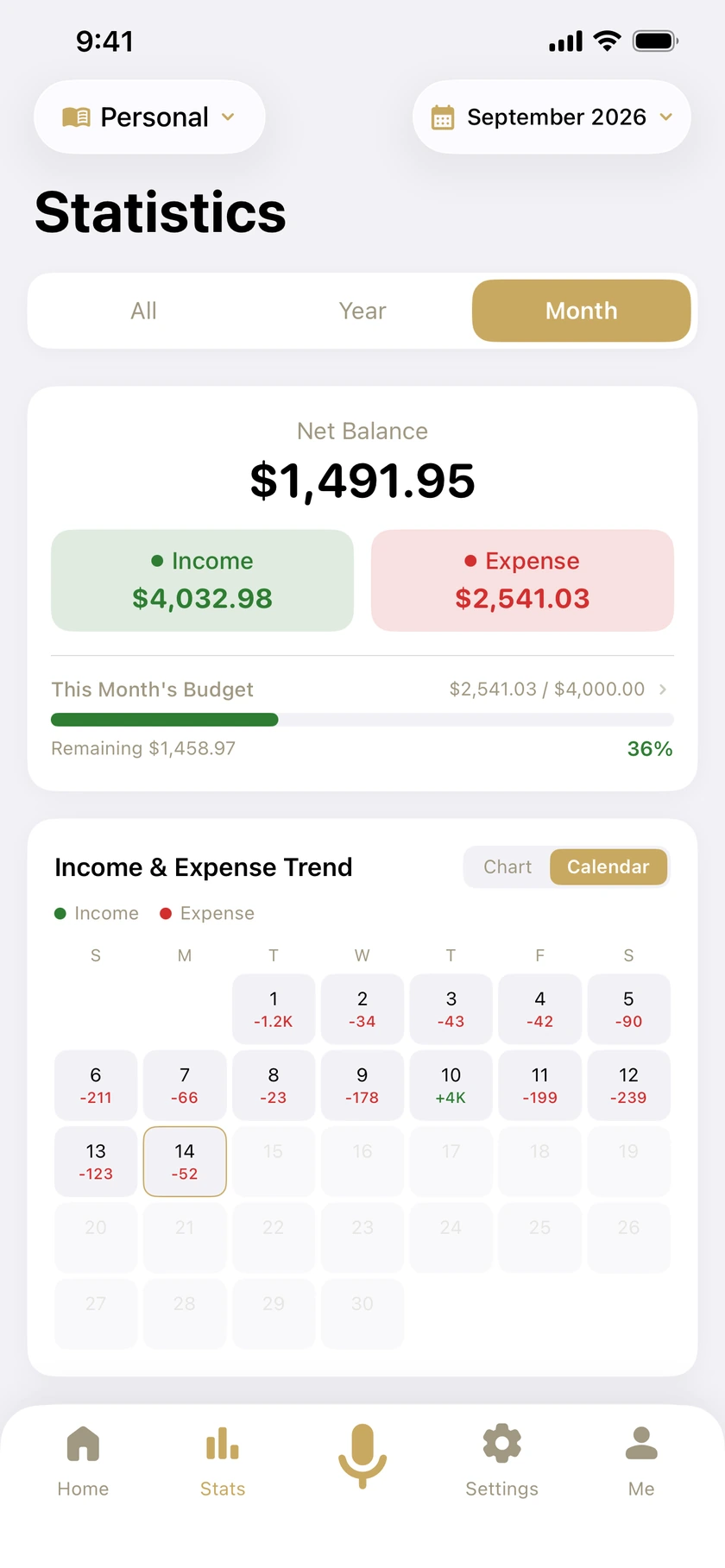
本月收支结余、预算进度、每日收支日历;再往下是年度收支、月度趋势和分类分析。
账目存在你自己手机里。需要带走时可以导出备份与 Excel 报表。
This month’s balance, budget progress and a day-by-day calendar; below that, the year, the monthly trend and a category breakdown.
Your entries live on your own device. Export a backup or an Excel report whenever you want to take them elsewhere.
- 界面语言Interface languages
- 35
- 支持币种Currencies
- 35
- 平台Platforms
- 3iOS · Android · HarmonyOSiOS · Android · HarmonyOS
- 数据存放Where data lives
- 本机On device云备份为高级版可选功能Cloud backup is an optional Premium feature
遇到问题?Need a hand?
支持页有常见问题的答案,也可以直接写信到 contact@xuanqiantech.com,我们在两个工作日内回复。 The support page answers the common questions, or just email contact@xuanqiantech.com — we reply within two business days.